From video to TikTok in four steps.
This is what OLO looks like inside. The screenshots below are from the app, with example data.
Create an account and connect TikTok
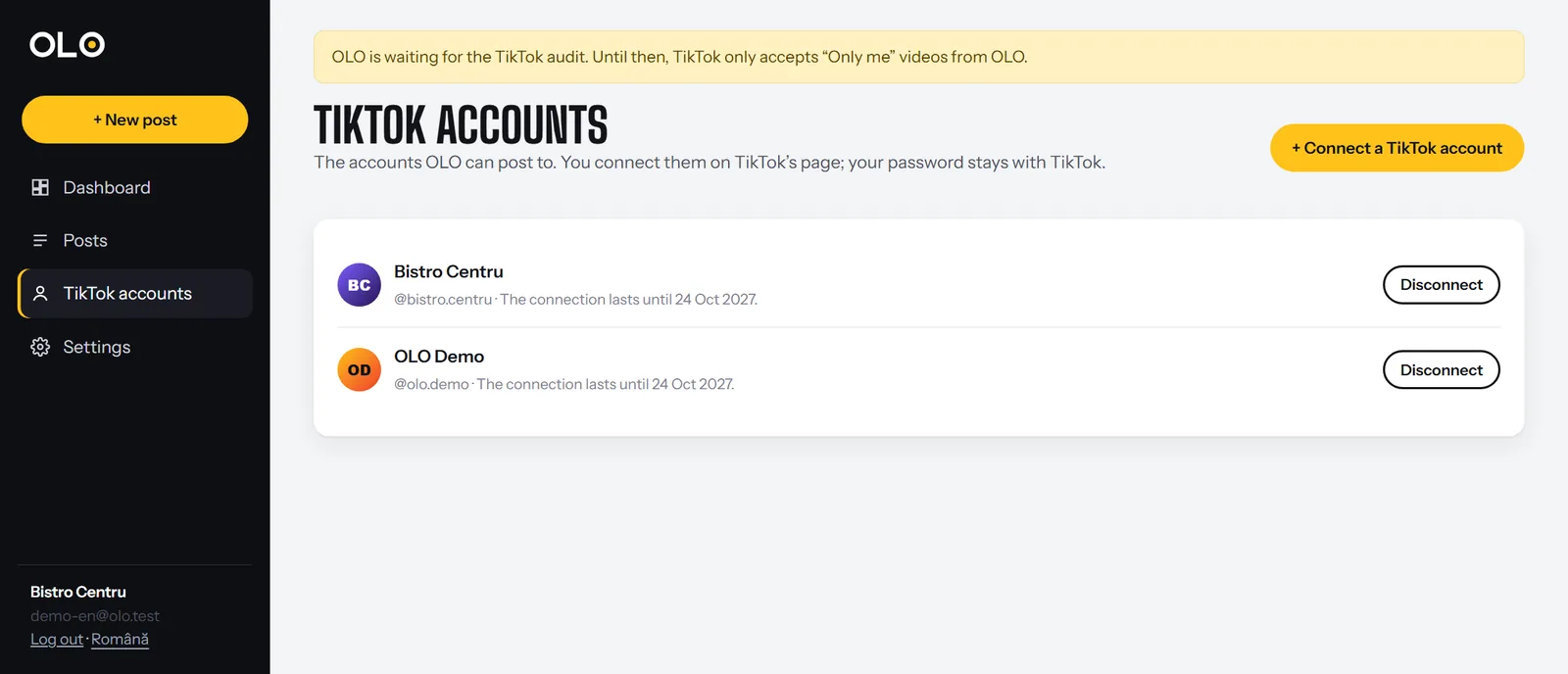
Sign up with your email. In “TikTok accounts” press “Connect a TikTok account” and you land on TikTok’s official page, where you log in and authorize OLO.
OLO only receives permission to post and the account name. Your password never reaches us.
Upload the video and pick the account
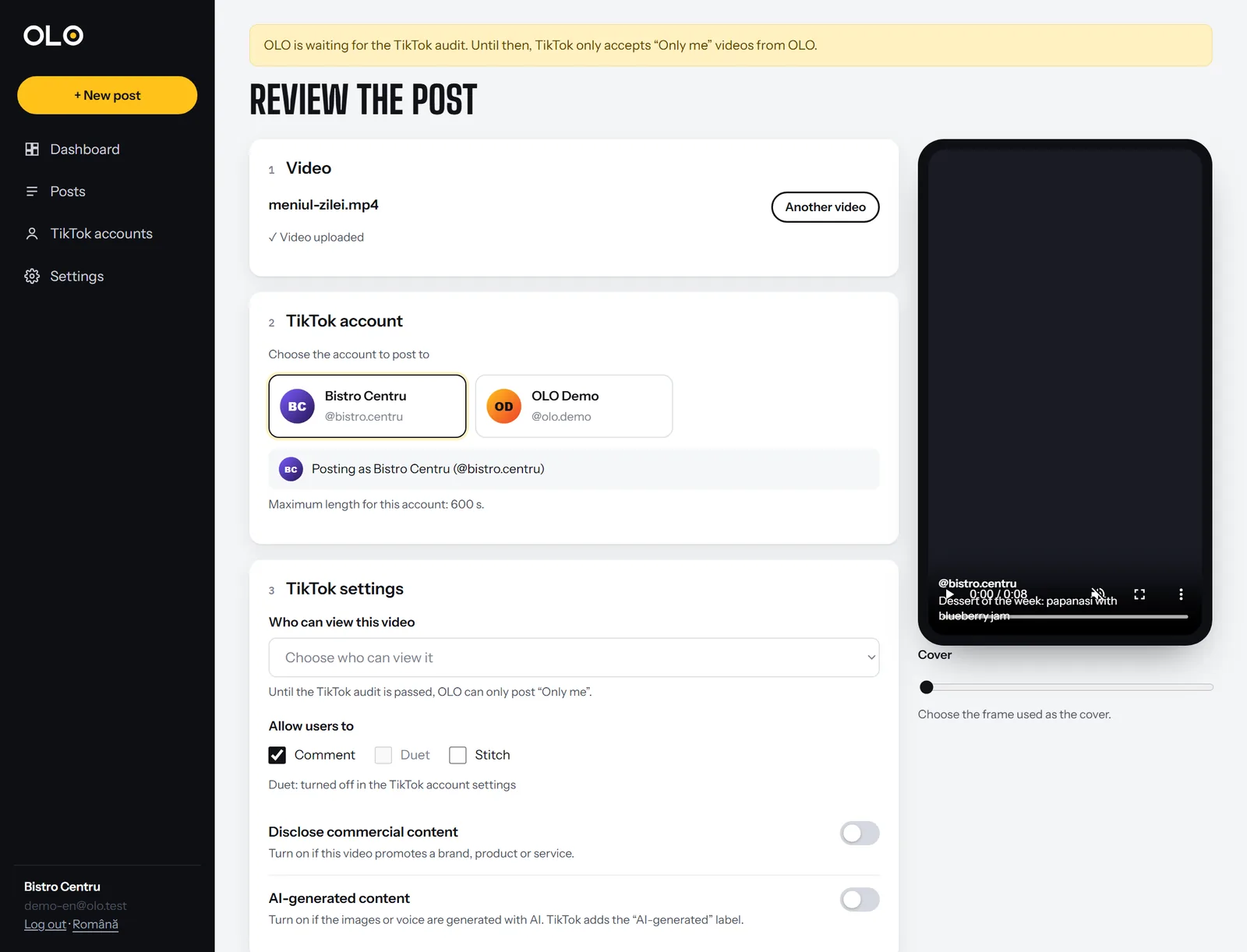
Drop the video on the page (MP4, MOV or WebM, up to 1 GB). It uploads in chunks with a progress bar, and the preview appears in the phone on the right.
When you pick the account, OLO asks TikTok what that account allows: who can view videos, which interactions are allowed and how long the video can be.
Choose the settings and the time
Choose who can view the video, whether you allow comments, Duet and Stitch, whether it is commercial content (with the label it gets) and whether it is AI-generated. Write the caption.
Then choose: post now, schedule a time, or send the video as a draft to the TikTok app. Next to the button is the consent text TikTok requires (Music Usage Confirmation).
- you chose who can view the video
- the account allows your choices, right now
- the video is not longer than the account allows
- for commercial content you said who you promote
- branded content is not “Only me”
Follow the post
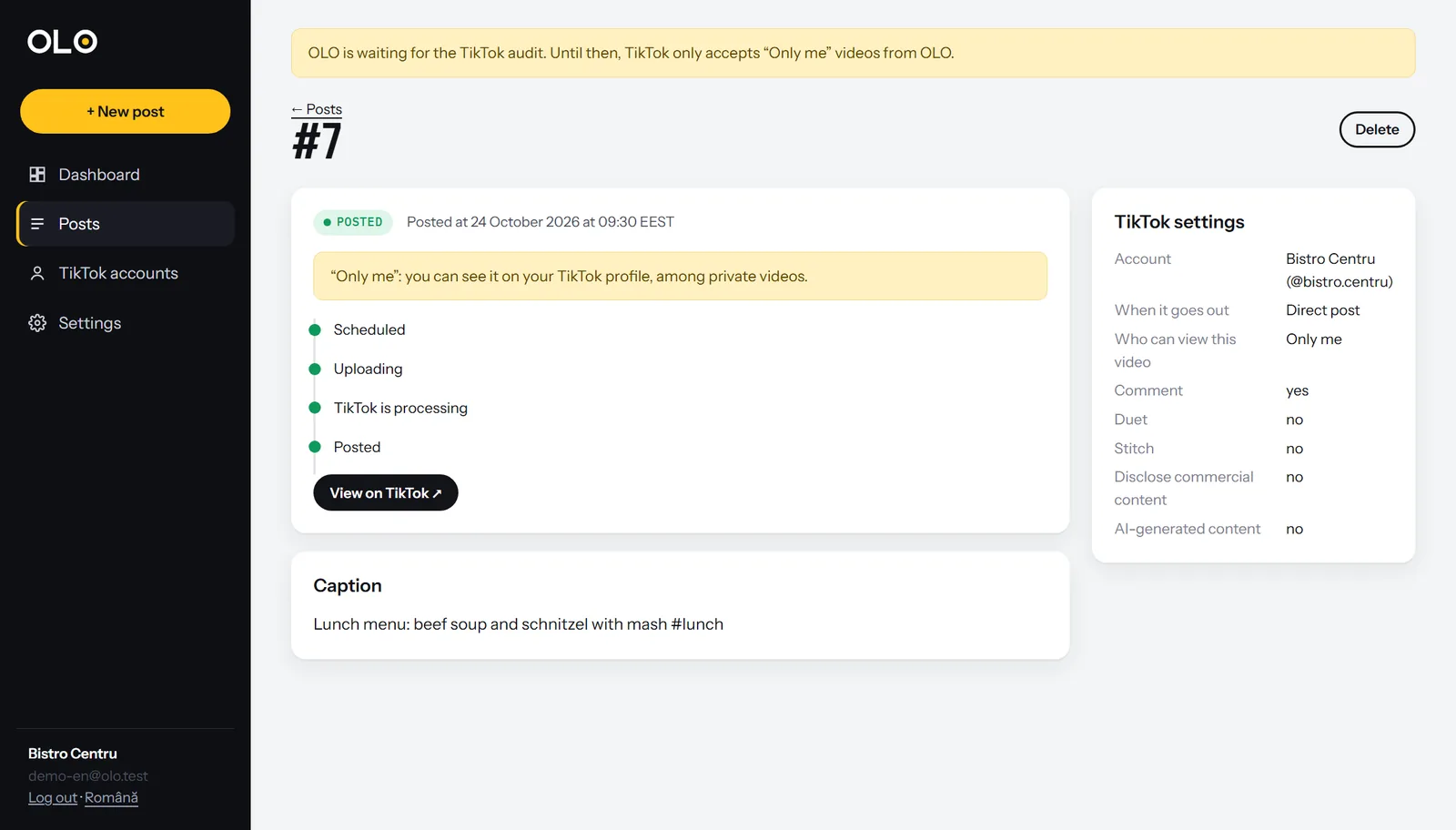
The post page shows the steps to publishing, the chosen settings and finally the link to TikTok. If TikTok rejects something, you see why and what to do.
Only the official TikTok API
- Login Kit (OAuth). Accounts are connected on TikTok’s page; OLO receives a code it exchanges for tokens, stored encrypted.
- creator_info. When the posting form opens and before every post, OLO asks TikTok for the options valid for the account.
- Content Posting API. The video goes out through Direct Post (or to the Inbox, for drafts), uploaded in chunks straight from our server (FILE_UPLOAD).
- Status. OLO asks TikTok for the status until “posted” and shows it on the post page.
- Clean-up. The video file is deleted from the server 7 days after it went out.
Your first video in five minutes
Questions? Read the guides or write to us.