Everything you need to post on time.
OLO does one thing and does it well: it gets your video to TikTok at the time you pick, with the settings you choose. Here is what you get.
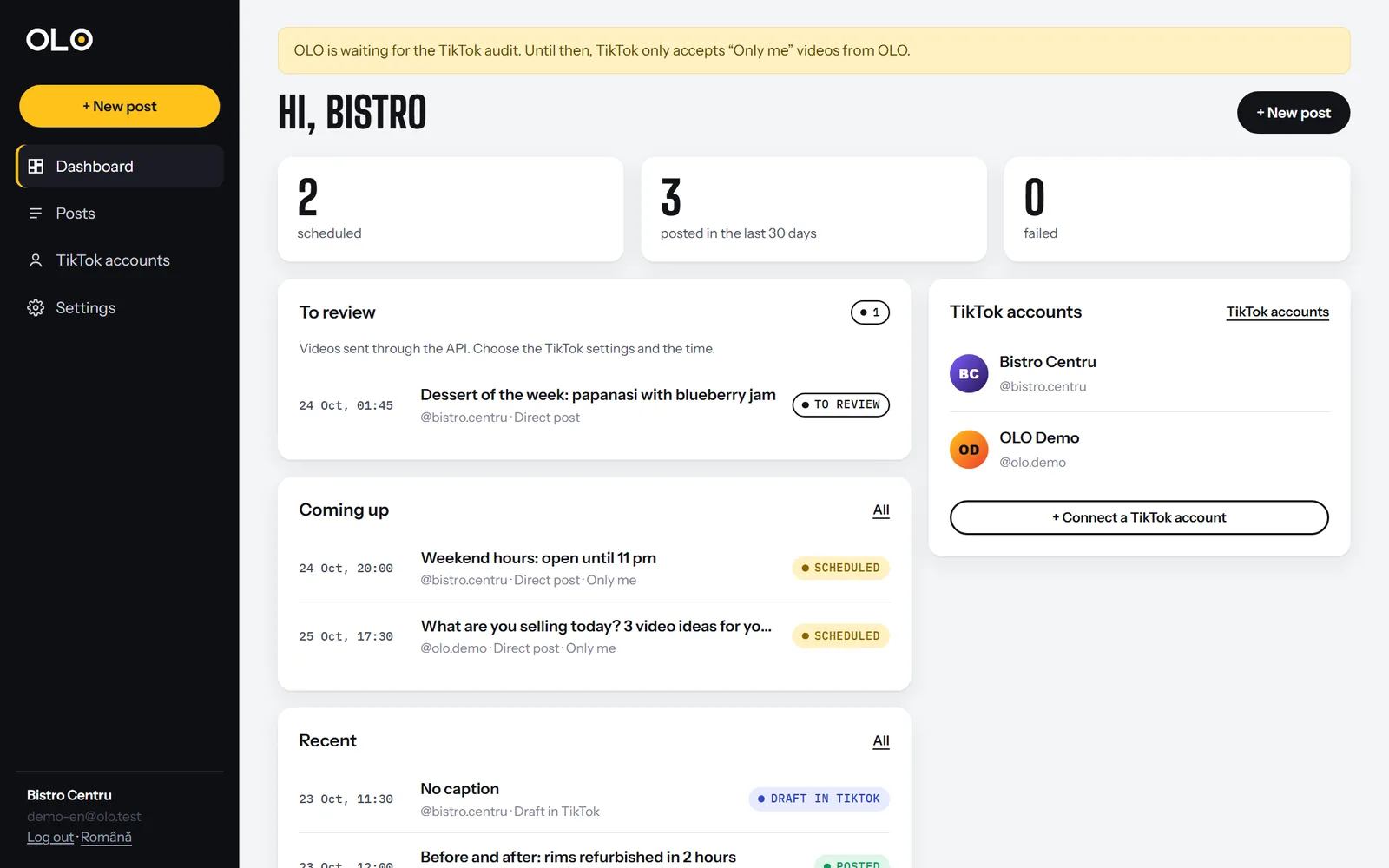
See what goes out today at a glance
The dashboard shows your scheduled posts, what went out in the last days, what is waiting for review and your connected TikTok accounts. Every row has the time, the account and the status.
Scheduling by day and time
Pick the date and time, and OLO sends the video on its own at that moment. Until then you can change or cancel the post at any time.
Several accounts, one place
Connect up to 5 TikTok accounts on the launch plan and schedule all of them from the same dashboard.
You choose the settings, for every video
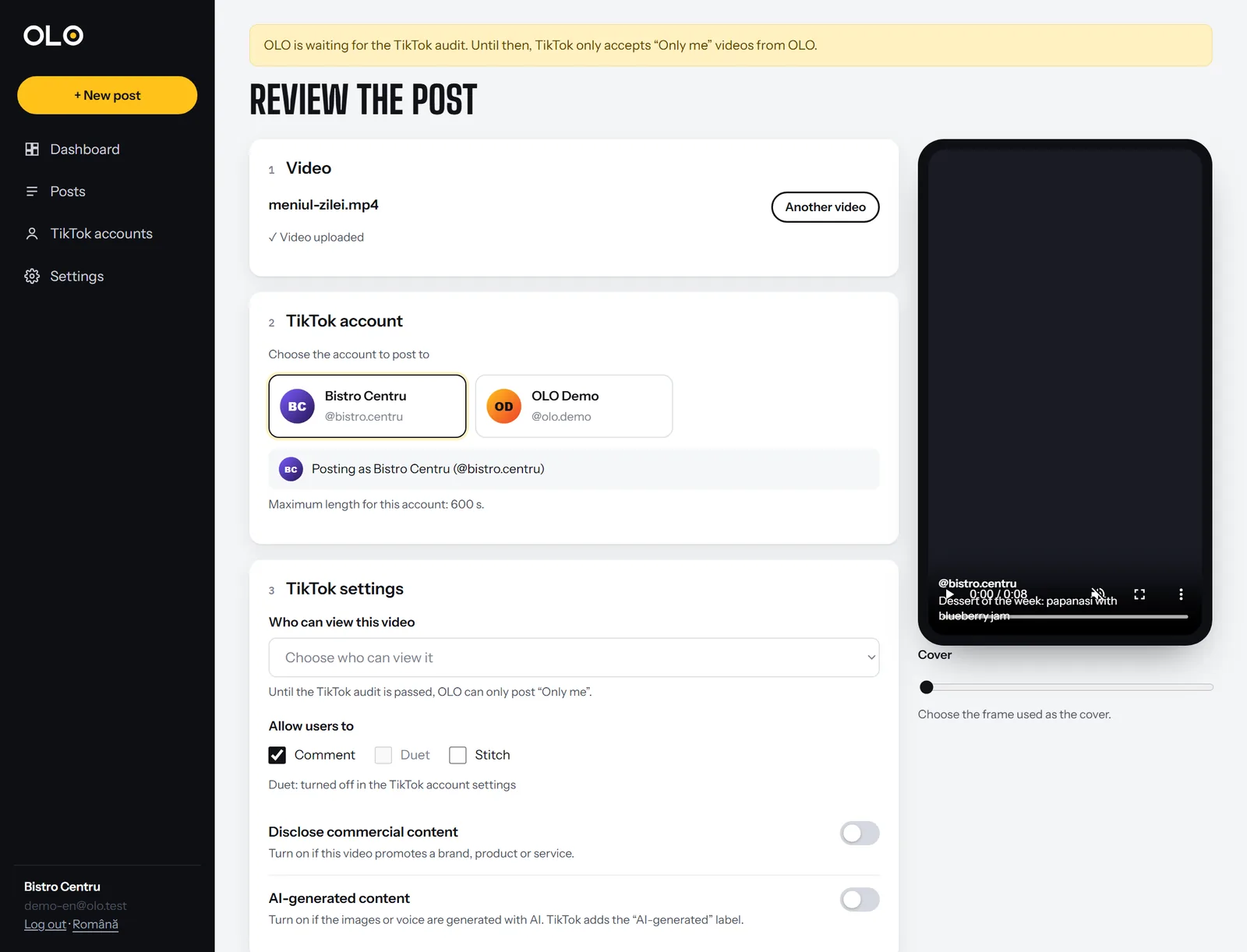
Before each post, OLO asks TikTok what your account allows right then and only shows valid options. Nothing is pre-selected.
- The account the video goes to, with its name and photo
- Who can view it: Everyone, Friends, Followers or Only me, from the list TikTok returns
- Comments, Duet, Stitch, on only if you want; the ones turned off in TikTok appear greyed out
- Commercial content disclosure: your brand or a paid partnership, with the label the video will get
- AI-generated content, with TikTok’s “AI-generated” label
- Cover, picked from the video frames
- Maximum length of the account, checked before you upload for nothing
Now, on schedule or as a draft
Goes out right away
The video uploads to TikTok as soon as you press the button. You watch it upload and see when it reaches the profile.
Goes out on its own
Pick the day and time. OLO handles the rest, even if your computer is off.
Add a trending sound
The video lands in your TikTok app notifications. Add the sound and effects and post from there.
Always know where your video is
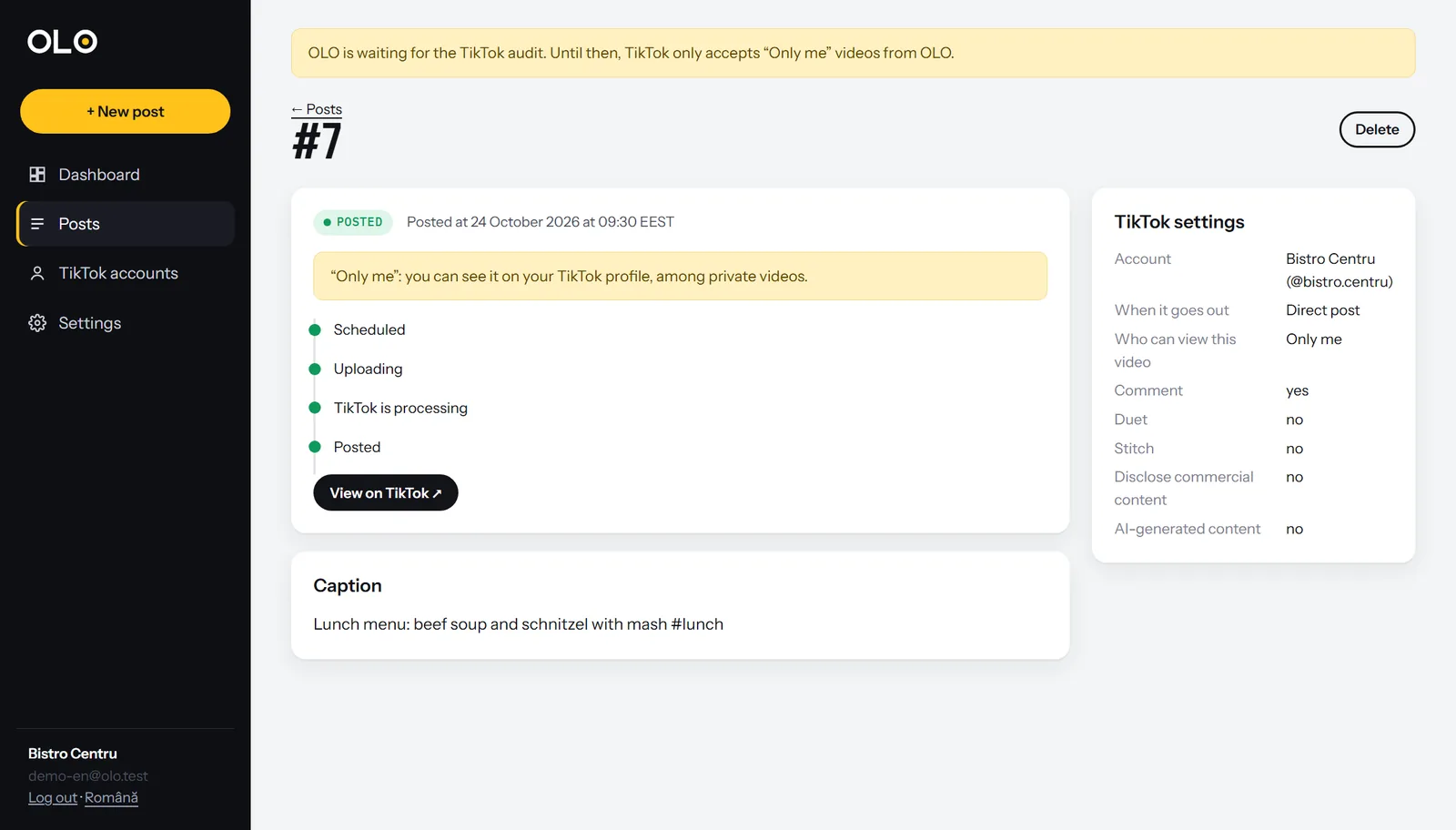
Every post has its own page with the steps: scheduled, uploading, TikTok is processing, posted. At the end you get the link to TikTok.
Errors in plain words
If TikTok rejects something (format, length, daily limit), you see why and what to do. “Try again” takes you back to the posting form with your settings kept.
Connect on TikTok’s own page
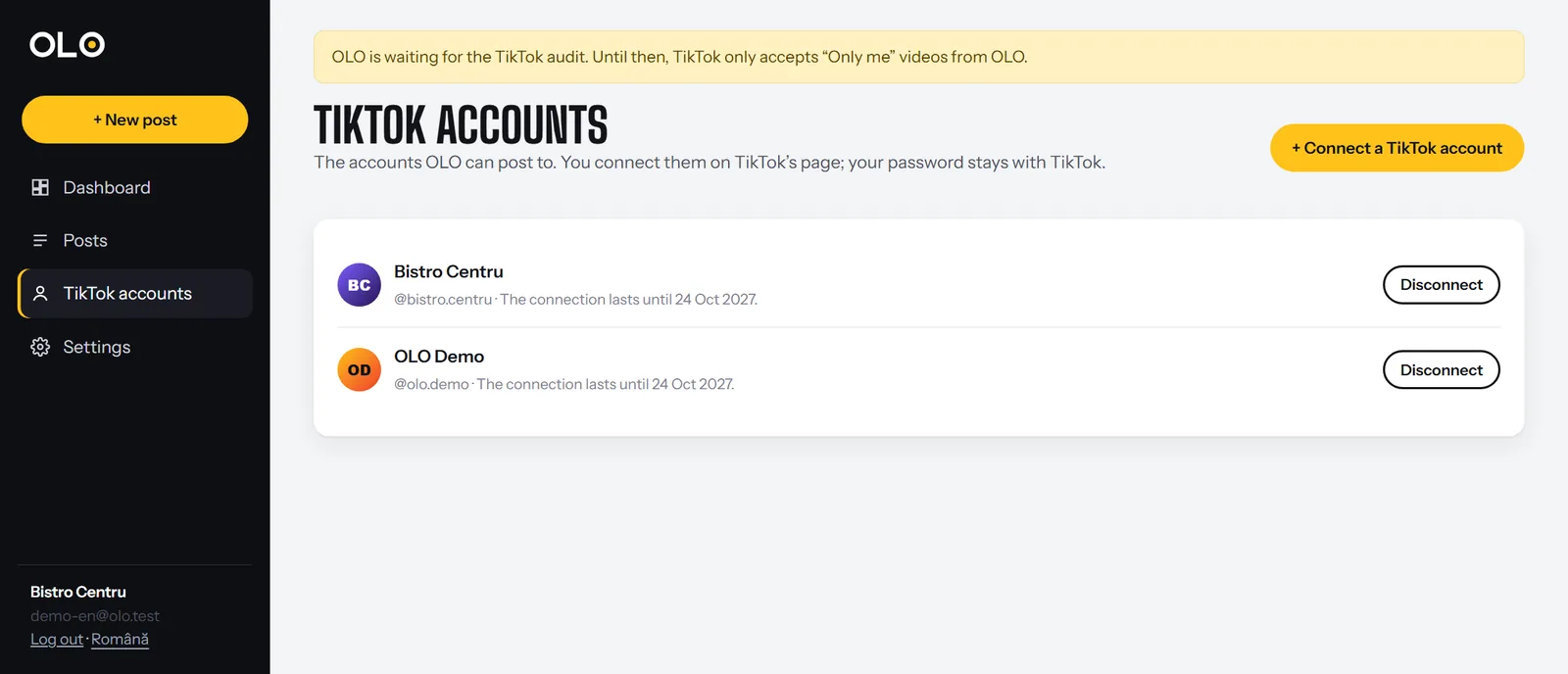
Press “Connect a TikTok account”, log in on TikTok’s official page and authorize. Your password stays with TikTok. The connection lasts a year and renews itself; you can remove it any time, from OLO or from the TikTok app.
API and “To review”
API key
Your editing tool uploads videos straight into OLO, with the caption and a suggested account. The documentation is on the API page.
A person approves every video
Videos sent through the API wait in “To review”. Someone on your team chooses the TikTok settings and the time, and only then it goes out. That is what TikTok requires, and it is the right way.
We are working on
Instagram and Facebook soon
Reels and posts in the same calendar, through Meta’s official API.
YouTube Shorts soon
The same video, scheduled on YouTube too.
Video stats soon
Views, likes and shares, so you see what works.
Try OLO
Free during launch. No card needed.