Your video goes live right on time.
Upload a video, pick your TikTok account and a time. At that time OLO posts it through the official TikTok API, with the settings you chose for that video.
Free during launch. No card needed.
OLO stands for what you do with it
Organize
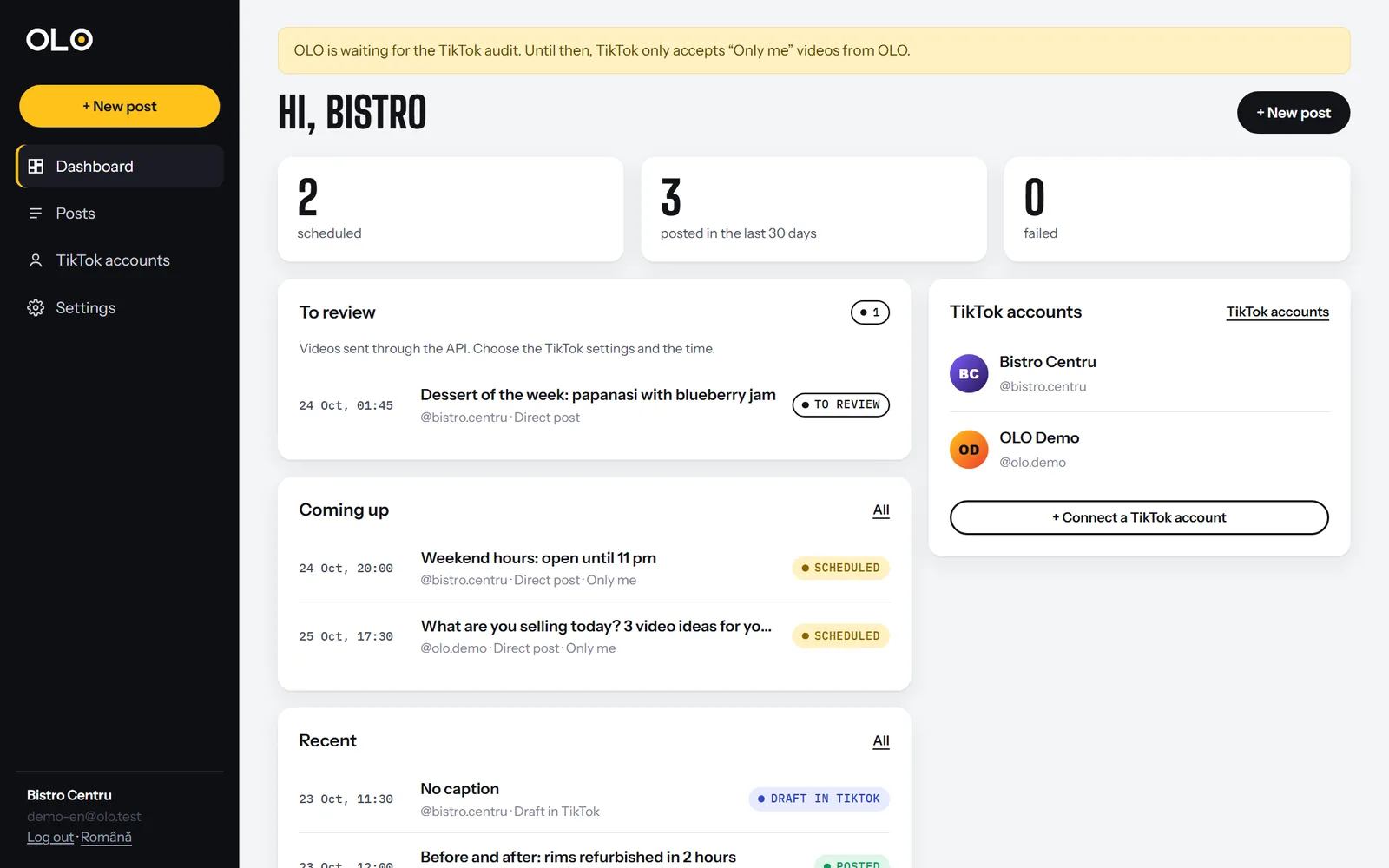
Put your videos on a calendar, by day and hour, for one or several TikTok accounts. See at a glance what goes out today.
Launch
At the scheduled time OLO sends the video to TikTok. Post it directly, or send it as a draft and add a trending sound from your phone.
Observe
Follow each post until it shows up on the profile: uploaded, processing, posted. If TikTok rejects something, you see why in plain words.
This is OLO
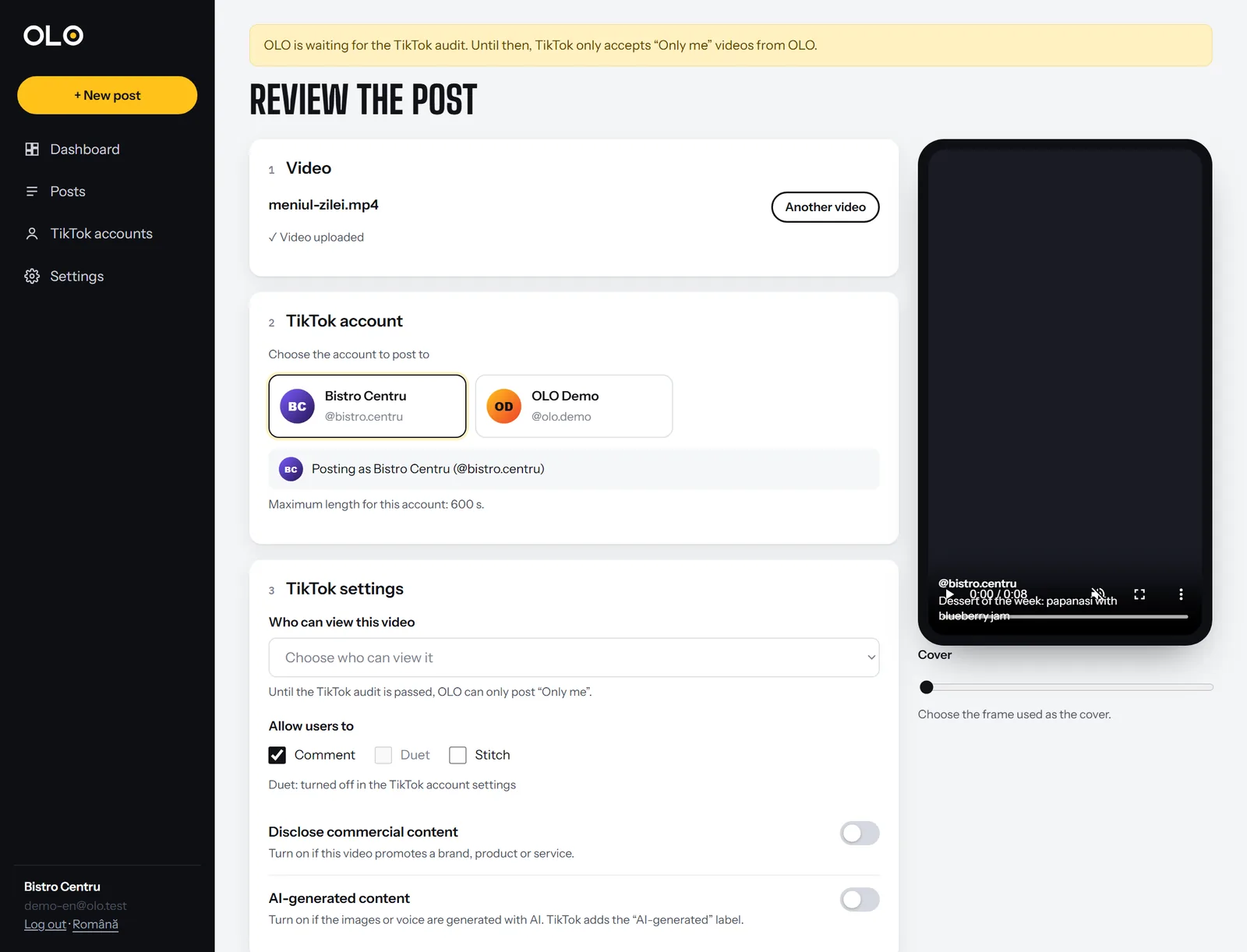
Screenshots from the app, with example data. The dashboard with what goes out today and the posting form with the settings TikTok requires.
For people who post often
Restaurants and cafés
Menu of the day and events, scheduled in the morning for the whole week.
Services and shops
Before-and-after videos, new products and offers, when customers are watching.
Creators
Edit when you have time, post when your audience is online, without phone alarms.
Agencies and studios
Several accounts in one place and videos sent straight from your editing tool.
You stay in control of the settings
For every video you choose who can watch it, which interactions you allow and whether it is commercial content. Nothing is pre-selected. Before each post, OLO asks TikTok what your account allows and only shows you valid options.
- The account the video goes to, with its name and photo
- Who can view the video, from the options TikTok returns for your account
- Comments, Duet and Stitch, on only if you turn them on
- Commercial content disclosure: your brand or a paid partnership, with the label the video will get
- A preview of the video and a caption you can edit until it goes out
For businesses, creators and agencies
Connect several TikTok accounts to one OLO account and schedule all of them in one place. If you edit videos in another tool, send them to OLO with an API key: they land in “To review”, where you choose the TikTok settings and the time.
What OLO does not do
It never asks for your TikTok password. You sign in on TikTok’s own page and can revoke access at any time.
It never posts without your explicit consent, given for each video.
It does not use browser automation. It talks to TikTok only through the official API.
It does not sell or rent your data. Videos are deleted from our server 7 days after they go out.
Frequently asked questions
Do I give OLO my TikTok password?
No. When you connect an account, we send you to TikTok’s own page. You sign in there and tap Authorize. OLO only receives permission to post, never your password.
What kind of TikTok account do I need?
Your regular TikTok account works, personal or business. Before each post OLO asks TikTok what your account allows (who can view the video, maximum length) and only shows valid options.
Can I use a trending sound?
TikTok does not expose its sound library through the API. If you want a trending sound, choose “Send as draft”: the video lands in your TikTok app notifications, you add the sound and post from there.
Which videos can I upload?
MP4, MOV or WebM, up to 1 GB. TikTok expects 360 to 4096 pixels per side and 23-60 frames per second. The maximum length depends on the account and we show it when you pick the account.
Your first scheduled video in five minutes.
Create an account, connect TikTok and upload the video. OLO handles the rest.